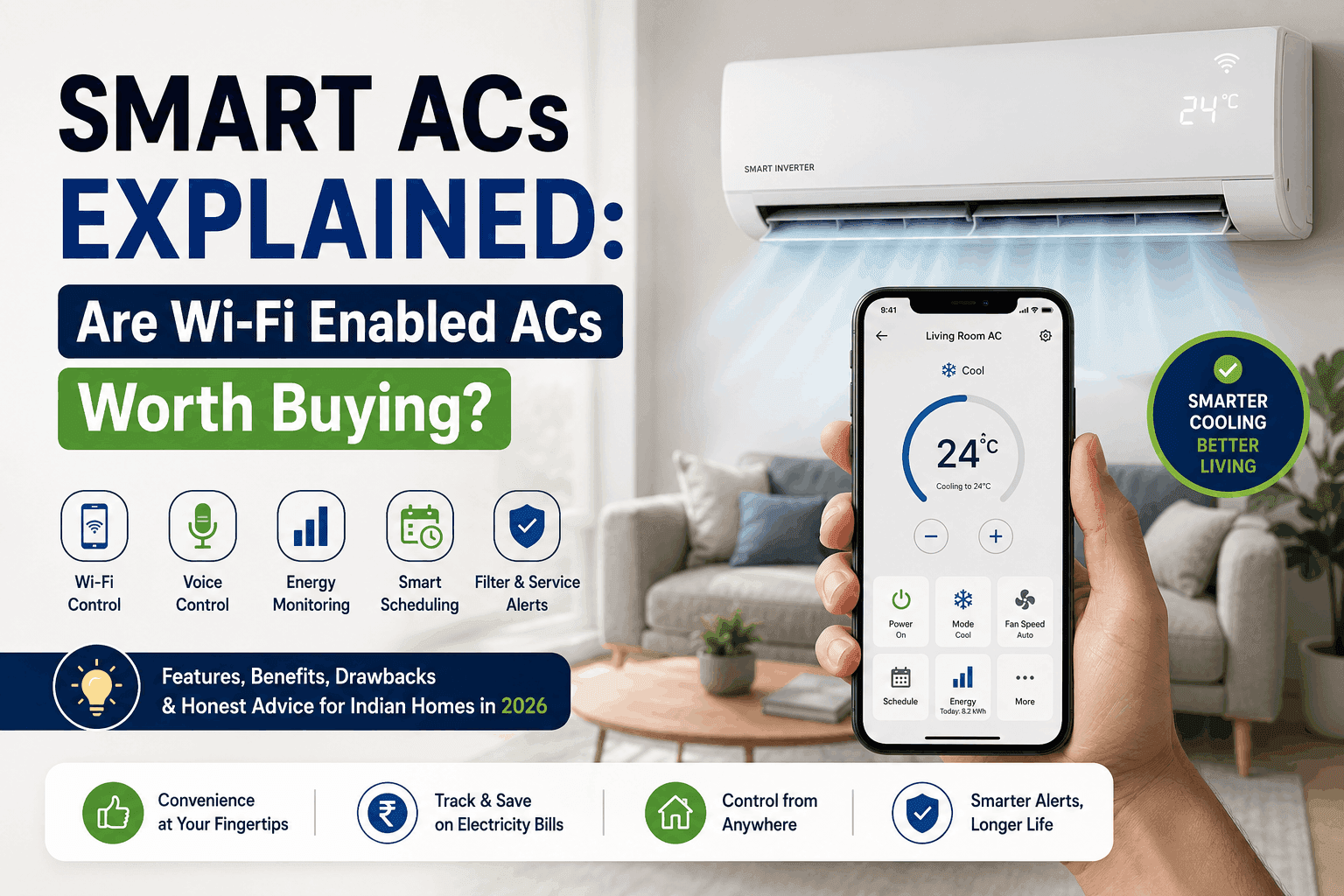
Smart ACs Explained: Are Wi-Fi Enabled ACs Worth Buying?
Walk into any AC showroom in 2026 and the salesperson will say the same three sentences:
“Sir, this one is smart AC. Wi-Fi enabled. AI cooling.”
Then they’ll show you an app on their phone, tap a button, and the AC magically turns on. You’ll nod, impressed. And you’ll wonder if your ₹35,000 budget should suddenly become ₹45,000 for this “smart” version.
Here’s the honest question nobody answers properly: Is a smart AC actually worth it for an Indian home in 2026, or is it just clever marketing?
This guide cuts through the brochure language. We’ll look at what smart ACs really do, which features matter and which are gimmicks, the hidden problems nobody talks about, who should buy one, and who should save their money.
By the end, you’ll know exactly where you stand.
What Is a “Smart AC,” Really?
Forget the marketing definitions. In simple terms, a smart AC is a regular inverter AC with a Wi-Fi chip inside that connects to your home internet and a mobile app.
That’s it. That’s the core difference.
Everything else — voice control, scheduling, energy reports, AI cooling — is a feature built on top of that Wi-Fi connection. The cooling mechanism itself is identical to any other inverter AC of the same brand and tonnage.
So the real question isn’t “is smart AC better?” — it’s “is the Wi-Fi connection worth the extra money?”
Let’s break it down.
Features You’ll Actually Get with a Smart AC
Here’s a clear-eyed look at what smart ACs in India offer in 2026 — separated by what’s genuinely useful and what’s just a sales point.
1. Mobile App Control (Genuinely Useful)
You can switch the AC on/off, change temperature, set timer, and monitor power usage from your phone. Works through your home Wi-Fi.
The real benefit: You’re coming home in an Uber from Connaught Place at 9 PM in May. You open the app 15 minutes before you reach. By the time you walk in, the room is cool. No more 20 minutes of misery while you wait for the AC to do its job.
The reality check: This works only when your home Wi-Fi is working and the AC’s brand app is functioning. In Indian homes, both fail more often than you’d think.
2. Voice Control via Alexa / Google Home (Mostly Useful)
“Alexa, set bedroom AC to 24 degrees.”
This actually works in 2026, and it’s surprisingly addictive once you start using it. Especially handy for people who lose their remote 8 times a day (you know who you are) or have elderly parents at home who find apps confusing.
The catch: You need an Echo or Google Home speaker (₹3,000–₹7,000 extra) and a stable Wi-Fi setup. Without those, this feature is useless.
3. AI / Smart Cooling Modes (Mostly Marketing)
Every brand has a different name — Samsung’s “Bespoke AI,” LG’s “AI ThinQ,” Panasonic’s “True AI,” Daikin’s smart sensors. The claim is that the AC “learns your habits” and optimises cooling.
The honest truth:
Most of these systems just adjust fan speed and compressor cycling based on room temperature and humidity sensors — which a good non-smart inverter AC also does. The “AI” bit is usually marketing on top of basic sensor logic.
That said, the better implementations (Panasonic True AI, LG AI Dual Inverter) do show measurable improvements in real-world tests — 8–15% energy savings vs the same brand’s non-smart equivalent. Not the 30–40% the ads claim, but still real.
4. Energy Reports & Usage Tracking (Genuinely Useful)
The app shows you daily, weekly, and monthly power consumption. You can see exactly how much each AC is costing you per month.
Why this matters: Most Indian households have no idea how much their AC contributes to the electricity bill. Once you see “this AC consumed ₹1,450 worth of electricity in May,” your behaviour changes. You stop putting it on 18°C. You close doors more carefully. Energy reports are the most underrated feature on this list.
5. Geofencing / Auto-On When You Reach Home (Hit or Miss)
The app uses your phone’s GPS to detect when you’re approaching home and turns the AC on automatically. Sounds magical.
Reality: Works about 70% of the time. The other 30%, it either turns on too early (wasting power) or doesn’t turn on at all. Not reliable enough to depend on, but a nice extra.
6. Air Quality / Filter Status Alerts (Genuinely Useful)
The app notifies you when filters are dirty, when service is due, or when the air quality in the room drops. In Indian cities where filters clog in 2–3 weeks, this is actually helpful.
7. Matter Compatibility (Future-Proof but Not Essential Yet)
Some 2026 models support Matter — a universal smart home standard. This means the AC can work with Apple Home, Google Home, Alexa, and SmartThings all at once.
If you’re building a long-term smart home, look for Matter-enabled models. If you’re just buying an AC for cooling, it’s nice-to-have, not essential.
Real-World Benefits of Smart ACs
Beyond the feature list, here’s where smart ACs genuinely improve life:
- Coming home to a cooled room without leaving the AC running all day
- Catching mistakes — that one time you forgot to switch it off before a 3-day trip? The app would have told you
- Managing multiple ACs in one home from one phone (huge if you have 3+ ACs)
- Better service experience — many brands send service alerts to the technician directly via the app
- Renting out a property? You can control AC remotely or share access with tenants
For most homes with one AC, the biggest real benefit is #1 and #4 — pre-cooling before arrival and clearer view of electricity usage. Everything else is bonus.
The Honest Drawbacks Nobody Talks About
1. Your Wi-Fi Decides Everything
If your router is slow, weak, or far from the AC — half the smart features stop working. Mid-summer, mid-app-use, suddenly the app says “device offline” and you’re walking across the room to find the remote. Frustrating.
2. Brand App Quality Varies Wildly
Some apps (Panasonic MirAIe, LG ThinQ, Samsung SmartThings) are well-designed and reliable. Others are slow, crash often, and look like they were designed in 2012. Read app reviews on Play Store before buying — it’s the most underrated step in choosing a smart AC.
3. Apps Get Discontinued
This one’s a real risk. Brands sometimes shut down older apps when they launch new ones, leaving your 4-year-old “smart” AC suddenly… not smart anymore. Stick with major brands (Samsung, LG, Panasonic, Daikin) where app continuity is more likely.
4. Initial Setup Can Be a Headache
Pairing the AC with the app, connecting to Wi-Fi, linking to Alexa, setting up the user account — for a non-tech person, this can be a 30-minute frustration session. Many people end up calling a technician just for the pairing. Worth knowing.
5. Privacy and Data
Your smart AC collects data — usage patterns, temperatures, when you’re home. Most brands say this data is used to “improve your experience.” Some share it with third parties. If privacy matters to you, read the brand’s privacy policy.
6. Premium Price for Marginal Cooling Difference
Here’s the kicker. A “smart” 1.5-ton 5-star AC costs ₹5,000–₹10,000 more than the same brand’s non-smart 5-star AC. The cooling itself is identical. You’re paying purely for the Wi-Fi features.
If you don’t think you’ll use those features 3–4 times a week, the math doesn’t justify the spend.
Top Smart AC Models in India 2026 (Honest Picks)
1. Panasonic 1.5 Ton 5-Star Wi-Fi Inverter (MirAIe)
The strongest all-rounder of 2026. Highest ISEER in its segment, excellent MirAIe app, Matter-enabled, handles 55°C ambient. Around ₹44,000–₹50,000.
Best for: Energy-conscious buyers who actually want smart features.
2. LG 1.5 Ton 5-Star AI Dual Inverter (ThinQ)
Quiet operation, fast cooling with VIRAAT mode, excellent app, reliable Wi-Fi pairing. ₹42,000–₹48,000.
Best for: Daily heavy use, families that value low noise.
3. Samsung 1.5 Ton 5-Star Wind-Free Bespoke AI
Best looking AC in any room, AI that genuinely learns patterns, SmartThings ecosystem if you have other Samsung devices. ₹42,000–₹50,000.
Best for: Smart home enthusiasts, design-conscious buyers.
4. Daikin Smart Inverter (FTKM Series)
Premium build, ultra-quiet (25 dB), best for bedrooms. App is basic but reliable. ₹45,000–₹55,000.
Best for: Premium buyers who want Daikin reliability + basic smart features.
5. Blue Star Y Series 1.5 Ton 5-Star Smart Inverter
Strong cooling, lower price, sensible smart features without overkill. ₹38,000–₹44,000.
Best for: Budget-conscious smart AC buyers in hot cities.
Whichever brand you pick, proper installation matters more than the brand itself. A great smart AC ruined by poor installation is a real thing. If you’re in NCR, book a professional AC installation in Delhi NCR from certified technicians — it makes a 10-year difference.
Should YOU Buy a Smart AC? A Quick Decision Framework
Buy a smart AC if:
- ✅ You have stable home Wi-Fi
- ✅ You’re already using Alexa, Google Home, or SmartThings
- ✅ You’ll use the pre-cooling feature 3+ times a week
- ✅ You manage multiple ACs in one home
- ✅ You’re tech-comfortable enough to set up apps
- ✅ The price premium is under ₹8,000
Skip the smart AC if:
- ❌ Your home Wi-Fi is unreliable
- ❌ You hate apps and just want a remote
- ❌ You’ll use the AC mostly in one mode (e.g., 24°C every night)
- ❌ You live alone, work fixed hours, and the AC routine never changes
- ❌ Budget is tight and the premium pushes you out of your range
- ❌ The smart model has only 3-star while the budget gets you 5-star non-smart
The smart 5-star vs non-smart 5-star math:
If the premium is ₹8,000 and you save 10% on electricity, you’d save roughly ₹1,000–₹1,800/year on a heavily-used AC. Payback in 5–7 years. Add the convenience benefits and it’s reasonable. Less heavy use? The numbers stop making sense.
Smart AC Maintenance — Anything Different?
Mostly no. The same monsoon care, filter cleaning, and annual deep service apply. Two small additions:
- Keep firmware updated — apps occasionally push firmware updates to the AC itself. Install them.
- Wi-Fi range — if the AC keeps disconnecting, your router signal is weak. A ₹1,500 Wi-Fi extender fixes it permanently.
Many brands now offer smart AMC plans that include remote diagnostics — the technician can check basic issues over the app before visiting. If you’re in coastal humidity, reliable AC servicing in Mumbai often includes this as a value-add for smart AC owners.
The Verdict: Are Smart ACs Worth It in 2026?
Honestly? Yes, but only if you’ll actually use the smart features.
The hardware in smart and non-smart ACs is the same. You’re paying ₹5,000–₹10,000 for Wi-Fi convenience. If that convenience genuinely changes your life — pre-cooling, energy tracking, voice control, multi-AC management — it’s worth every rupee.
But if you’ll use the app twice and then forget about it (which happens to about 40% of smart AC buyers, in our experience), you’ve spent extra money for a feature you don’t need. Buy the better non-smart 5-star model instead — better cooling, lower bills, and one less app on your phone.
Smart ACs are not a scam. They’re not magic. They’re a useful upgrade for the right user — and an overpriced feature for the wrong one.
Choose based on your actual life, not the salesperson’s pitch. And once you’ve chosen, book a trusted AC service near you for proper installation and an annual check-up — that’s where most ACs (smart or otherwise) live or die.
FAQs
Q1. What’s the main difference between a smart AC and a regular inverter AC?
The cooling mechanism is identical. The smart AC has a built-in Wi-Fi chip that lets you control it through a mobile app, voice assistant (Alexa/Google), and access features like energy tracking and remote scheduling.
Q2. Do smart ACs really save more electricity than regular ACs?
In real-world use, premium smart ACs save about 8–15% more than the same brand’s non-smart equivalent — mostly through better sensor-based optimisation and the user’s improved habits (thanks to energy reports). The 30–40% savings advertised in some brochures are best-case lab numbers.
Q3. Will my smart AC work without internet?
Yes — basic remote control still works without Wi-Fi. Only the smart features (app control, voice, scheduling, energy reports) stop working when the internet is down.
Q4. Which is the best smart AC brand in India 2026?
For overall balance: Panasonic MirAIe range. For smart home enthusiasts: Samsung Bespoke AI. For quiet daily use: LG AI ThinQ. For premium build: Daikin smart series. Choose based on your priorities, not the brand alone.
Q5. Is the Wi-Fi connection on smart ACs secure?
Major brands use encrypted connections and require app authentication. That said, like any IoT device, smart ACs can be vulnerable if your home Wi-Fi password is weak. Use strong Wi-Fi passwords and keep firmware updated.
Q6. Can I make my existing AC “smart”?
Yes — universal smart AC remotes (₹1,500–₹3,500) like Cielo, Sensibo, or Tata Nestaway work with most ACs and add Wi-Fi + voice control. Not as polished as built-in smart ACs, but a good budget upgrade.
Q7. Do smart ACs need different installation?
No, the installation is the same as any other split AC. Just place the indoor unit within range of your Wi-Fi router (within 8–10 metres for a stable connection).
Q8. What happens if the brand discontinues the app?
The AC continues to work via the remote, but smart features stop. This is why sticking with major brands (LG, Samsung, Panasonic, Daikin) is safer — they’re far less likely to abandon their app ecosystems.